

How many patient calls is your practice missing?
Most dental practices miss 30-40% of inbound calls. See how AI reception can capture every call 24/7.
Imagine a patient calling one of your clinics after hours. They want an appointment, but they are not sure which location offers the service they need.
Now imagine another patient calling a different office while the front-desk team is helping someone in person. Meanwhile, your operations manager is trying to understand which clinics need additional support.
These are different conversations, but they raise the same question:
How can your organization deliver a consistent patient experience without treating every location as though it operates exactly the same way?
An AI dental receptionist for DSOs and multi-location practices should help address that challenge. The goal is to coordinate routine patient communication across the group while respecting each clinic's providers, schedules, policies, and identity.
What Is an AI Dental Receptionist for DSOs?
Dental support organizations, or DSOs, provide non-clinical business support to dental practices. Their operating arrangements vary, and supported practices may share a brand or retain separate local identities.
For these organizations — and independently owned multi-location groups — an AI dental receptionist can serve as a shared patient-communication system.
TensorLinks AI offers call handling, text and website conversations, appointment booking into connected practice management systems, and recall outreach. Its platform also provides per-clinic configuration and group-level visibility. Confirm the available channels and workflows for your selected deployment.
The important distinction is between using one platform and forcing every clinic to use identical rules. A group-wide system should support common standards while allowing each location to operate appropriately.
Centralize the Standards, Not Every Detail
Start by separating what your organization wants to standardize from what each clinic needs to control.
At the group level, establish expectations for patient-facing AI disclosure, privacy, communication quality, escalation, and performance reporting.
At the clinic level, maintain accurate office hours, provider information, appointment types, directions, approved answers, and contact details.
For example, one office may offer evening appointments while another closes earlier. A provider may work at different locations on different days. Two clinics may have different policies for accepting new-patient appointments. Your AI receptionist should follow the relevant clinic's configuration — not apply a group-wide assumption.
TensorLinks' DSO offering describes centrally managed deployments with location-specific scripts, office hours, provider information, and routing rules, along with approval workflows for regional updates.
Before launch, decide who can propose a change, who approves it, and how the change will be tested.
Consistency should mean a dependable patient experience — not an identical script for every office.
What Should AI Handle Across Your Locations?
Define responsibilities around complete patient journeys rather than isolated features.
Inbound Calls and After-Hours Requests
Choose when the assistant should answer: after hours, during overflow periods, or as the initial point of contact.
Configure the greeting to identify the correct clinic and explain that the caller is speaking with an AI assistant. Give patients a clear way to request a person.
TensorLinks advertises around-the-clock call handling, multilingual communication, and escalation to staff. Test the languages and handoff arrangements your locations actually need before enabling them.
Also define the outcome of each interaction. A patient should know whether their appointment is booked, their question is answered, or a staff member needs to follow up. Do not measure success solely by whether the call was answered.
Appointment Scheduling
For every clinic, document the rules the assistant must follow. Include appointment type, provider, duration, treatment room where relevant, and restrictions for new or existing patients. Specify which requests require approval.
Then test what happens when an apparently available appointment is unsuitable. For example, a patient requesting a consultation should not be placed into a slot reserved for a different procedure simply because the calendar appears open.
Treat booking, rescheduling, cancellation, and appointment-status updates as separate functions to verify.
The objective is the correct appointment at the correct location — not merely a filled calendar slot.
Patient Questions and Intake
Give each location an approved knowledge base. Include practical information such as directions, parking, office hours, new-patient paperwork, and services available at that clinic. Assign someone to maintain it.
When collecting information, ask only for what the approved workflow needs. Confirm important details and avoid creating duplicate records when an existing patient cannot be matched confidently.
Keep information collection separate from verification. Collecting insurance details, for example, should not be treated as proof that coverage or benefits have been confirmed.
For questions outside the approved knowledge base, require clarification or staff follow-up rather than an improvised answer.
Reminders and Recall Outreach
Design reminders around the response your team needs: confirmation, a rescheduling request, or a conversation with staff.
For recall outreach, define eligible patient groups, contact preferences, exclusion rules, and the appointment types the assistant may offer.
Assign one owner to each communication workflow. Check that a patient will not receive overlapping reminders from the AI platform, practice management system, and local team.
Measure what happens after outreach. Messages sent and calls placed are activities; an appropriate attended appointment is a different outcome.
Make Location Selection Clear
A multi-location deployment needs an explicit process for identifying which clinic the patient wants.
Start with the number called or the website page used, but confirm the location when the request is ambiguous. When a patient asks about another office, do not assume that every clinic offers the same services or that every patient record is accessible across the organization.
For any proposed cross-location booking workflow, require the assistant to verify the destination clinic's rules, the appropriate patient-record process, and the patient's agreement. Before the interaction ends, repeat the clinic name, address, date, and time.
A useful operating principle: Offer an alternative location only through an approved workflow. Never silently move the patient to another clinic.
Connect Communication to the Right Practice Management System
A shared AI platform does not necessarily require every office to use the same practice management system.
TensorLinks lists integrations with systems including Dentrix, Dentrix Ascend, EagleSoft, Open Dental, Curve Dental, Denticon, and CareStack, and describes support for mixed-system dental groups. Verify the connection method and supported actions for each clinic's exact product and configuration.
Create an integration inventory before planning the rollout. For each location, record its PMS product and version, hosting arrangement, appointment rules, connection requirements, and the staff member responsible for approval.
During testing, inspect the appointment inside the destination PMS — not only in the AI dashboard. Also test connection failures. The assistant should not tell a patient that an appointment is confirmed unless the booking has actually succeeded.
A centralized communication platform should not be treated as permission to merge patient records or expose information across separate entities. Review those arrangements explicitly with your privacy and technical teams.
Keep Your Central Call Center and Local Teams Connected
Define which requests AI should complete and which belong with your central support team or local office.
TensorLinks describes overflow routing to a corporate call center or between locations, alongside role-based access and group reporting. Confirm how these functions will be configured for your organization.
A practical division of responsibilities might assign routine administrative requests to the assistant, group-level routing questions to central support, and sensitive or clinic-specific exceptions to local staff.
For every handoff, require an accurate summary of the patient's request and any actions already taken. When nobody is available to answer immediately, create a follow-up task with a named owner and an agreed response process.
Do not allow unresolved requests to disappear into a shared queue with no clear responsibility.
Give Leaders Visibility Without Giving Everyone Access to Everything
Decide what each role needs to see.
A clinic manager may need access to local conversations and follow-up tasks. A regional manager may need operational reporting for an assigned group of offices. Executive reporting may need aggregate trends rather than unrestricted access to patient conversations.
TensorLinks' security documentation describes role-based permissions, audit logging, encryption, and limits on integration write operations. Request the relevant documentation and verify the permissions applied to your deployment.
During testing, use different staff accounts to check access boundaries. Can a clinic employee see records outside their authorized scope? Can a regional manager change a location's instructions without the required approval? Can you identify who changed a configuration and when?
Central oversight should increase accountability — not remove access boundaries.
An Illustrative Multi-Location Patient Journey
Consider a patient calling their usual clinic after closing.
The assistant identifies the clinic and itself, then asks how it can help. The patient requests an appointment but cannot attend the first available time. Following the clinic's approved scheduling rules, the assistant offers another suitable option.
The patient then asks whether a nearby office has availability. If the organization has enabled and verified cross-location scheduling, the assistant confirms the alternative clinic, checks the permitted options, and asks whether the patient agrees to attend there. If that workflow is unavailable, the assistant records the request for an authorized team member instead of improvising.
Once a booking succeeds, the confirmation clearly identifies the appointment location. If staff action is still required, the patient receives an explanation of the next step.
This is the experience to design: clear choices, accurate information, and no uncertainty about what has been completed.
Privacy and Clinical Boundaries Must Be Part of the Rollout
For U.S. practices subject to HIPAA, review the data flow and contractual arrangements before connecting patient information.
HHS explains that a cloud provider creating, receiving, maintaining, or transmitting electronic protected health information on behalf of a covered entity generally requires an appropriate business associate agreement (BAA), along with compliance with the other applicable HIPAA requirements.
For a multi-entity organization, have your privacy lead establish which entities and relationships the agreements cover. Review data access, retention, subprocessors, recordings, model-training uses, and deletion procedures.
Signing a BAA is not the entire assessment. HHS also directs organizations to understand the cloud environment and conduct appropriate risk analysis and risk management.
Keep clinical judgment with qualified professionals. Have your clinical team approve urgent-call routing and escalation instructions, and do not configure the assistant to independently diagnose, recommend treatment, or reassure patients that an urgent concern can wait.
Measure Performance by Location — and Across the Group
Define your metrics before launch so every location uses the same calculation.
| Measure | What to evaluate |
|---|---|
| Call coverage | The share of eligible calls answered during the periods assigned to AI |
| Booking accuracy | Whether audited bookings have the correct patient, location, provider, appointment type, and time |
| Request resolution | Whether the patient reached a completed outcome or an appropriately assigned follow-up |
| Staff workload | Time freed after subtracting monitoring, corrections, and exception handling |
| Patient follow-through | Whether booked patients attended and whether communication problems were reported |
Review results by workflow as well as by location. Separate routine scheduling from clinical escalations, and new-patient requests from existing-patient changes.
For the business case, include subscription charges, usage fees, integration work, training, and ongoing administration. Do not assume every AI-booked appointment is additional business — distinguish staff time redirected to other work from an actual reduction in operating expense.
Roll Out in Phases
Choose a Representative Pilot
Select locations that reflect the differences your rollout must handle — not only the simplest offices. Include the relevant variation in scheduling rules, call volume, languages, staffing arrangements, and software. Set the initial scope narrowly enough to review thoroughly.
Prove the Complete Workflow
Test normal interactions and difficult cases. Include changed appointment requests, similar patient names, incorrect location assumptions, unavailable staff, and failed system connections. Give each pilot clinic a clear process for reporting problems and pausing a workflow when needed.
Expand With Local Approval
Use the pilot findings to refine shared standards, then validate each additional clinic's configuration. Require a local owner to approve hours, providers, scheduling rules, and escalation contacts before launch. Do not treat a successful pilot at one office as proof that every other location is ready.
Frequently Asked Questions
Can different clinics keep their own names and greetings?
TensorLinks describes per-location scripts and configuration. Confirm the branding and greeting setup for each office during onboarding, especially when your organization supports practices with separate identities.
Do all locations need the same PMS?
TensorLinks describes support for mixed-PMS groups. Confirm compatibility and workflow availability separately for each product and installation rather than assuming identical functions across systems.
Should AI replace our central call center?
Design the deployment around responsibilities first. Keep your central and local teams accountable for exceptions, sensitive conversations, and oversight. Evaluate any staffing changes separately from the technology purchase.
How quickly should we expand after the pilot?
Expand when the pilot meets your agreed standards for accuracy, handoffs, patient experience, and operational value. Use readiness criteria rather than an arbitrary deadline.
Grow the Organization Without Losing the Local Relationship
Your patients should not need to understand your organizational chart to book an appointment. They need to reach the right clinic, receive accurate information, and know that someone will help when their request needs personal attention.
An AI dental receptionist should support that experience across your organization while giving leaders visibility and local teams control.
Start with clear responsibilities. Verify the integrations. Measure the results. Expand what works.
Explore TensorLinks AI for your DSO or multi-location practice. Book an enterprise demo to review your clinic network, test your workflows, and plan a focused rollout.
Related articles
More from DSO & Multi-Location on TensorLinks.
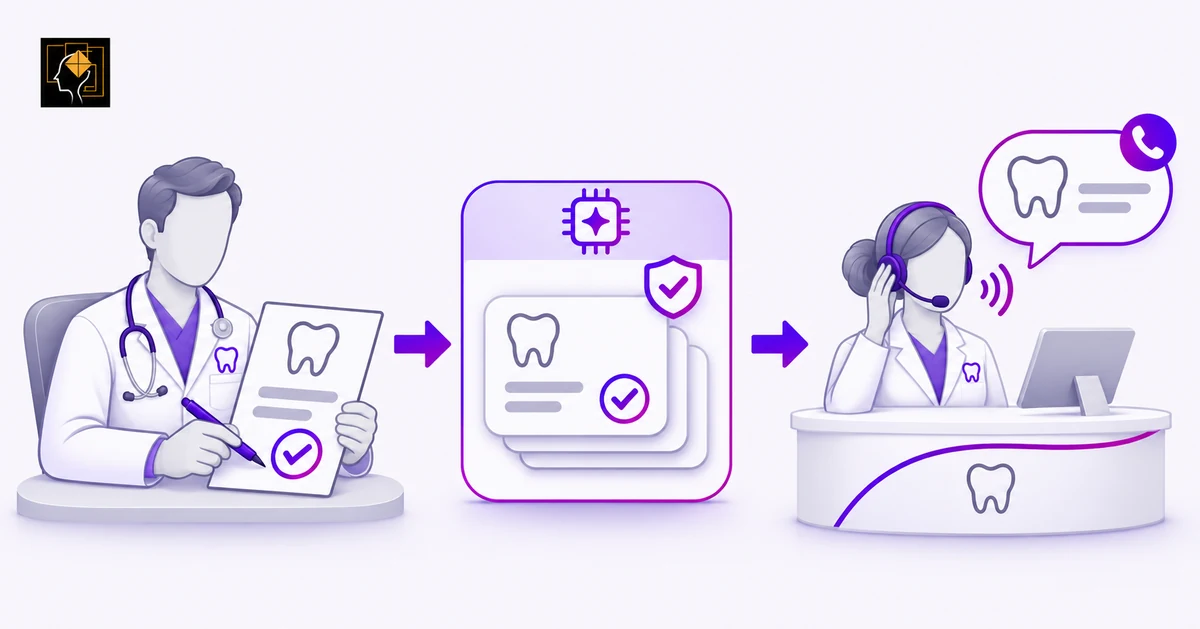
How Dental AI Can Reflect Clinical Philosophy
A practicing dentist on configuring an AI agent to explain care the way your team would — separating clinical philosophy from office protocol, keeping clinical decisions with the dentist, and giving multi-provider offices the context they need.

Ten Myths About AI in Dental Practices
A practicing dentist on the ten most common assumptions about dental AI — what it can see, what it can change, and when a human needs to step in before you ever go live.
AI Dental Receptionist vs Dental Answering Service
Should your practice choose an AI receptionist, a live answering service, or a hybrid approach? Compare the work each can complete — not just who answers the call.

AI Dental Receptionist for Dentrix: What to Know
Connecting an AI receptionist to Dentrix takes more than checking compatibility. Learn what to verify about scheduling, continuing care, data access, and staff handoffs.
Ready to stop missing patient calls?
TensorLinks AI answers every call 24/7, books appointments into your PMS, and speaks 24+ languages. Join hundreds of dental practices already using AI reception.