

How many patient calls is your practice missing?
Most dental practices miss 30-40% of inbound calls. See how AI reception can capture every call 24/7.
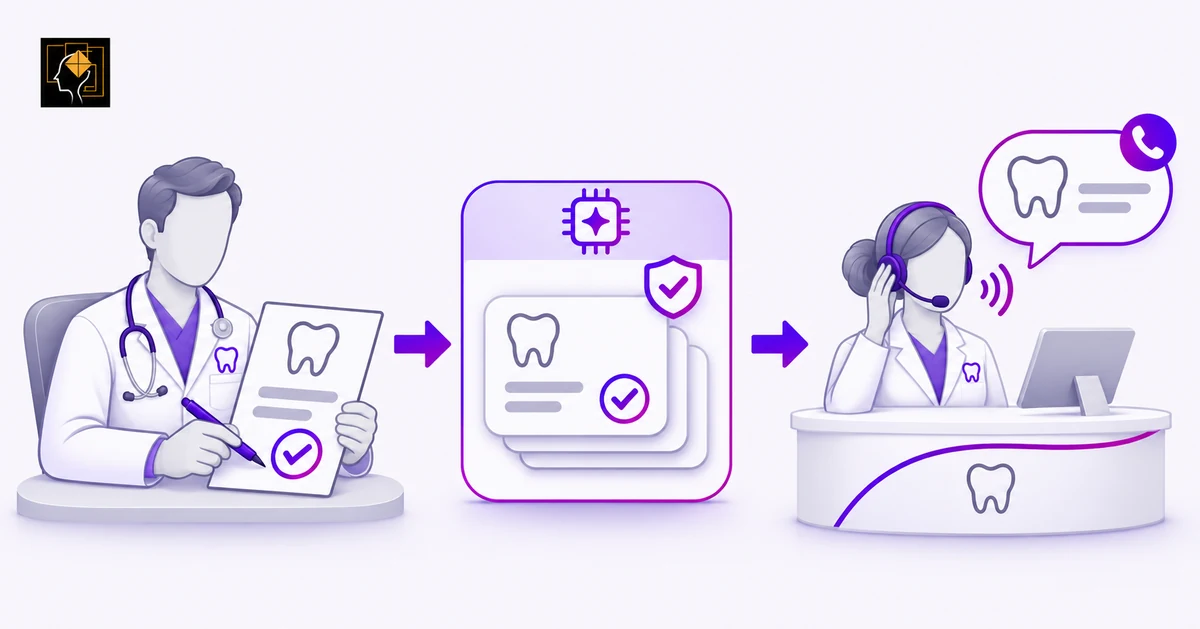
An AI receptionist should do more than answer the phone. For a dental practice using Dentrix, it should help patients reach the right next step without creating another pile of administrative work for your team.
That might mean booking an appropriate appointment, answering an approved question, or handing a conversation to a staff member with the necessary information.
But before connecting an AI dental receptionist to Dentrix, there is an important question to answer:
What will the integration actually do inside your practice's system?
This guide explains the differences between Dentrix products, the workflows worth evaluating, and the scheduling, security, and implementation details to review before going live.
First, Confirm Which Dentrix Product Your Practice Uses
Start with the exact product — not simply the name "Dentrix."
Dentrix desktop and Dentrix Ascend use different integration approaches. Henry Schein One's developer documentation describes Dentrix as an on-premises application whose integrations operate locally. Connecting a cloud application through that API requires a local application or service. Dentrix Ascend, by contrast, is cloud-based and supports remote connections through its cloud API.
Dentrix Enterprise is another product to identify separately. Its published capabilities include centralized scheduling across providers and locations, shared patient records, and multi-location administration. Practices using Enterprise should request a demonstration for that environment rather than relying on a desktop or Ascend demonstration.
Before discussing implementation, have your product name, version, hosting arrangement, and location structure available.
TensorLinks AI lists Dentrix, Dentrix Ascend, and Dentrix Enterprise among its supported practice management systems, with integration routes that include direct connections and intermediary integration services. Confirm the route, supported version, and available functions for your practice during onboarding.
Compatibility is the starting point. The supported workflow is what matters next.
What Can an AI Dental Receptionist Help With?
TensorLinks AI describes support for patient communication across voice, text, and website chat, along with appointment booking, reminders, recall outreach, and escalation to staff. The functions available to your practice should be verified against your selected plan and integration.
For a Dentrix practice, evaluate those capabilities as connected workflows rather than isolated features.
Calls and Routine Questions
Decide when AI should answer: after hours, during busy periods, or as the first point of contact.
Prepare approved answers about office hours, directions, new-patient requirements, and practice policies. Give the assistant a clear instruction to escalate when the information is missing or the request is outside its scope.
The objective should be a useful outcome — not simply a completed conversation. A caller should know whether their question was answered, their appointment was booked, or someone from your team will follow up.
Appointment Requests and Scheduling
Ask the vendor to demonstrate the full path from a patient's request to the resulting appointment record.
Your practice should define which appointment types the assistant may schedule, which providers and locations it may offer, and which requests require staff approval.
Treat rescheduling, cancellations, and confirmation-status updates as separate capabilities to test. Do not assume that a system able to create appointments can also perform every other appointment-related action.
Reminders and Recall
For reminders, decide what should happen when a patient replies instead of simply confirming.
For recall, define who is eligible for outreach, which appointment types may be offered, and which patients should be excluded or reviewed by staff first.
Also decide which system owns each message. Assign appointment confirmations to one approved workflow rather than enabling overlapping messages without checking the patient experience.
Automation should simplify communication, not make patients wonder which message to follow.
Dentrix Scheduling Details You Should Not Overlook
A useful integration test needs to go beyond finding an empty space on the calendar. Pay particular attention to the way your practice uses appointment types, providers, treatment rooms, and continuing care.
Provider and Operatory Matching
An operatory is the treatment room where an appointment takes place.
Define which providers and operatories are appropriate for each appointment type. Include appointment duration, provider availability, practice closures, and any restrictions your team normally applies. For example, you might reserve a particular room for specific procedures or allow new-patient visits only within certain scheduling windows.
Ask the vendor to show how each rule affects the appointment options offered to a patient. Do not settle for a demonstration that checks only whether a time slot is empty.
Perfect Day Scheduling and Reserved Time Blocks
Dentrix's Perfect Day Scheduling feature checks the provider and appointment type against a reserved time block. If they do not match, the Appointment Book can display a warning that allows the user to override the restriction.
That distinction matters when evaluating an external scheduling tool. Do not assume that a warning visible to your staff also prevents an external integration from making the same booking. Ask the vendor to demonstrate how your reserved blocks are represented and enforced.
A practical test is to request an appointment that does not belong in a reserved block. The assistant should follow the agreed restriction or seek approval — not silently place the appointment there.
Continuing Care Connections
For practices automating recall, verify more than whether a hygiene appointment appears on the calendar.
Dentrix requires that continuing care be attached to an appointment for it to be treated as a continuing-care appointment. Depending on configuration, that connection can be attached through the appointment reason or added manually.
Ask whether the integration creates the required connection or whether staff must complete that step. Also review the underlying patient configuration — Dentrix continuing-care settings can include the assigned provider, interval, and default appointment time, which are important details to inspect when testing recall-related scheduling.
A calendar entry alone is not proof that the entire continuing-care workflow is complete.
Understand What the Integration Can Read and Change
The phrase "integrates with Dentrix" does not tell you exactly what a third-party platform can access or modify.
Henry Schein One distinguishes Dentrix read access, approved write access, and scheduling functionality. A vendor's available permissions and implemented features therefore need to be confirmed — not inferred from the existence of an integration.
Use a demonstration to answer these practical questions:
| Area | What to verify |
|---|---|
| Patient matching | How the assistant finds the correct existing patient and handles uncertain matches |
| Appointment creation | Which appointment fields are populated and where the booking appears |
| Schedule changes | Whether supported changes update the existing appointment correctly |
| Conversation records | Where summaries and follow-up tasks are stored, and who can access them |
| Failed actions | How incomplete bookings are identified and routed for staff follow-up |
Ask to inspect the resulting record in Dentrix — not just the AI platform's dashboard. Also distinguish between an appointment being saved and a patient's confirmation status being updated. Define the expected outcome for each action and verify it separately.
What a Well-Configured Patient Journey Should Look Like
Consider this illustrative after-hours workflow.
An existing patient calls to request a continuing-care appointment. The assistant identifies itself, gathers the information required by the practice's identity-checking process, and searches the permitted appointment options.
The patient declines the first option and asks for another day. The assistant checks availability again, follows the approved scheduling rules, and repeats the selected date, time, and location before attempting the booking.
Only after the scheduling system confirms that the appointment was saved should the assistant describe the patient as booked. If the connection is unavailable or the request requires approval, the assistant should explain that follow-up is needed and create a task for the team.
The patient should not have to guess what happened.
"We have your request" and "Your appointment is booked" are different outcomes.
For an installation using a local integration service, ask what must remain running after the practice closes and how your team will be alerted when the connection is unavailable.
Keep People Responsible for Exceptions
Define the assistant's boundaries before launch.
Clinical questions, complaints, billing disputes, unclear identity matches, and scheduling exceptions should follow a documented human-review process. Have your clinical team approve urgent-call routing. Do not configure the receptionist to independently diagnose a condition, recommend treatment, or reassure a patient that an urgent concern can wait.
Make requesting a person straightforward. When a conversation is transferred, require an accurate summary of the request and any actions already attempted. When a live transfer is unavailable, explain the next step without promising an unapproved response time.
The purpose of the handoff is continuity: your team should be able to help without asking the patient to restart the entire conversation.
Review Privacy and Security Before Connecting Patient Data
For U.S. practices subject to HIPAA, review the proposed data flow before enabling production access.
HHS explains that a cloud provider creating, receiving, maintaining, or transmitting electronic protected health information on behalf of a covered entity is generally a business associate. The parties need an appropriate business associate agreement (BAA) and must meet the other applicable HIPAA requirements.
TensorLinks' security page describes BAA availability, role-based permissions, audit logging, encryption, and limits on integration write operations. Request the relevant documentation and review how those controls apply to your deployment.
Your review should cover who can access recordings and transcripts, how long information is retained, which service providers process it, whether it can be used for model training, and what happens to the data when the agreement ends.
A vendor agreement does not replace the practice's own assessment. HHS advises organizations using cloud services to understand the environment and conduct appropriate risk analysis and risk management. Have your privacy lead review the configuration, including recording, messaging, access permissions, and patient-facing disclosures.
Start With a Focused Pilot
Choose one initial workflow your team can evaluate carefully, such as eligible after-hours appointment requests.
Before launch, document the assistant's permitted actions, escalation rules, and success criteria. Then test more than straightforward bookings — include an unavailable appointment, a patient who changes their request, a reserved time block, an uncertain patient match, and a failed scheduling connection.
During the pilot, review both the conversations and the resulting Dentrix records. Measure correct bookings, unresolved requests, staff correction time, and patient feedback. Assign someone to maintain the assistant's approved information and investigate recurring problems.
Expand the scope only after the initial workflow meets your practice's standards. Avoid making a launch date more important than completing the testing.
Where TensorLinks AI Fits
TensorLinks AI is an option for practices evaluating connected patient communication and front-desk automation.
Its April 2026 announcement describes entry into the Henry Schein One API Exchange as an authorized integration vendor, with the announced integration specifically covering Dentrix Ascend. The listed workflows include appointment booking with provider and operatory matching, AI call handling, recall campaigns, website chat, and multi-location management.
For your practice, the next step is to review the corresponding capabilities for your exact Dentrix product and configuration. Bring your scheduling rules and real-world scenarios to the demonstration. Ask the team to show the complete workflow, including the record created, the patient's confirmation, and the path to human help.
Frequently Asked Questions
Can an AI receptionist book directly into Dentrix?
TensorLinks advertises appointment booking into connected practice management systems and lists Dentrix among its supported integrations. Confirm direct booking for your exact product, version, and configuration, then inspect a test booking inside the system before enabling it for patients.
Is a Dentrix Ascend integration the same as a Dentrix desktop integration?
No. Henry Schein One documents different architectures: Dentrix integrations operate locally, while Dentrix Ascend integrations connect through cloud APIs. Do not assume that the same setup instructions or capabilities apply to both.
Can the AI verify insurance?
Treat insurance-information collection, eligibility verification, and coverage estimates as separate functions to evaluate. Ask for a demonstration of the exact workflow available to your practice rather than assuming that collecting insurance details includes verification. Do not authorize promises about coverage or reimbursement without an approved process.
Should AI replace the front-desk team?
Plan the deployment around supporting defined administrative work. Keep people responsible for patient relationships, clinical coordination, sensitive conversations, exceptions, and oversight. Evaluate staffing decisions separately from the software purchase.
Make the Connection Work for Your Practice
An AI dental receptionist for Dentrix should fit the way your practice operates — not force your team to work around the technology.
Start with the correct product and integration route. Verify scheduling rules, continuing-care handling, patient matching, and human handoffs. Then test the complete workflow before expanding automation.
The goal is straightforward: help patients reach an appropriate next step while keeping your team informed and in control.
Ready to explore TensorLinks AI for your Dentrix practice? Book a demo to review your system, confirm the supported workflows, and see how AI-assisted patient communication could fit your front desk.
Related articles
More from Integration on TensorLinks.
How Dental AI Can Reflect Clinical Philosophy
A practicing dentist on configuring an AI agent to explain care the way your team would — separating clinical philosophy from office protocol, keeping clinical decisions with the dentist, and giving multi-provider offices the context they need.

Ten Myths About AI in Dental Practices
A practicing dentist on the ten most common assumptions about dental AI — what it can see, what it can change, and when a human needs to step in before you ever go live.

AI Dental Receptionist vs Dental Answering Service
Should your practice choose an AI receptionist, a live answering service, or a hybrid approach? Compare the work each can complete — not just who answers the call.

AI Dental Receptionist for DSOs and Multi-Location Practices
Standardize patient communication without losing each clinic's identity. Learn how to evaluate and deploy an AI dental receptionist across your dental group.
Ready to stop missing patient calls?
TensorLinks AI answers every call 24/7, books appointments into your PMS, and speaks 24+ languages. Join hundreds of dental practices already using AI reception.